
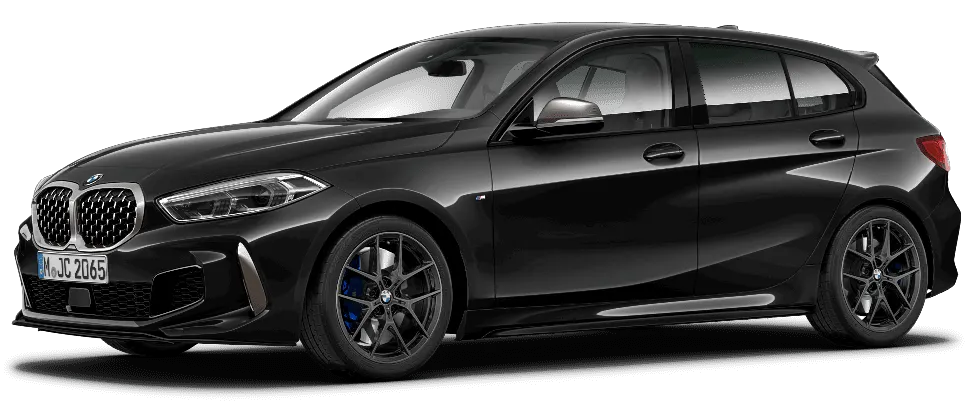
BMW X5 Navigation Map Update – E70, F15 & G05 | VIN-Verified Maps + FSC Code
The BMW X5 navigation update covers E70, F15, and G05 models with the correct map version, map family, and FSC activation matched to your VIN before delivery. Each order is checked against your region, BMW iDrive system, and head unit so the files are prepared for your exact vehicle, not a generic X5 setup.
This update includes current regional map data, FSC activation where required, and the choice of instant download or preloaded USB delivery. It helps keep your BMW iDrive navigation ready for updated roads, POIs, speed-limit data, junctions, parking, fuel stations, EV charging points, and regional route coverage.
- VIN-matched before delivery
- Supports BMW X5 E70, F15, and G05
- Latest map release for your selected region
- FSC code included where required
- Instant download or preloaded USB delivery
- Step-by-step installation guide included
BMW X5 GPS Update
The BMW X5 GPS update covers all three X5 generations — E70, F15, and G05 — including X5 M variants. Your VIN confirms the correct map version, FSC code, and region before delivery. Choose instant download or preloaded USB. Installation takes 30–90 minutes depending on your iDrive system and map file size.
BMW X5 Navigation Update for Your Exact Vehicle
Get the correct BMW X5 navigation update for your exact vehicle through a VIN-matched process. An E70, F15, and G05 can require different map families, FSC codes, USB setup, and installation steps, so the update is checked before delivery instead of guessed.
Each order is reviewed against your BMW X5 model, VIN, region, iDrive system, and head unit. Your update can include FSC code activation where required and can be delivered by instant download or preloaded USB, with clear Installation instructions matched to your system are included with every order.
What Map Version Will I Get?
Your BMW X5 map version depends on your VIN, build year, region, iDrive system, and head unit. This is why different BMW map families exist across X5 generations, including Premium 2025-2, NEXT 2025, EVO 2025-2, EVO 2025-4, LIVE 2025-4, WAY 2026-1, and JOY.
Each map family is built for a specific navigation platform. An older E70 may need Premium map data, an F15 may need NEXT or EVO, and a newer G05 may need EVO, LIVE, WAY, or JOY depending on software and region. We confirm the exact BMW X5 map version before sending the update.
Enter your VIN before ordering so the correct map version, region, and FSC requirement can be checked.
BMW X5 Compatibility by Year and System
BMW X5 Compatibility by Year, Head Unit & Map Family
Use this guide to understand which navigation system your BMW X5 may have. Final compatibility is always confirmed by VIN before delivery because build date, region, and head unit can change the required map family.
| X5 Generation / Chassis | Head Unit / iDrive System | Common Map Families | Compatibility Note |
|---|---|---|---|
| BMW X5 E70 | CCC / CIC / early systems | Premium 2025-2 | Older E70 models usually use legacy navigation formats. Very early pre-2009 E70 vehicles may use CCC, while later E70 models commonly use CIC. VIN verification confirms the exact system before selecting the update. |
| BMW X5 F15 / F85 X5 M | NBT / NBT EVO | NEXT 2025, EVO 2025-2, EVO 2025-4 | F15 models can use NBT or NBT EVO depending on build date and configuration. F85 X5 M variants share platform-based compatibility and may require NEXT or EVO map data. |
| BMW X5 G05 / F95 X5 M | MGU / iDrive 7 / connected navigation | EVO 2025-4, LIVE 2025-4, WAY 2026-1, JOY where supported | Newer X5 G05 and F95 X5 M models use iDrive-based connected navigation. Region, software version, and head unit confirm whether EVO, LIVE, WAY, or JOY map data is required. |
The correct map family is matched to your VIN, region, and head unit before delivery – no guesswork required.
BMW X5 Map Family Overview
The BMW X5 E70 (2007–2013) uses CCC or CIC navigation depending on build year, receiving Premium map data – VIN confirms which system applies before delivery.
The BMW X5 F15 (2014–2018) uses NBT or NBT EVO depending on configuration, receiving NEXT or EVO map data – F85 X5 M variants share the same platform compatibility.
The BMW X5 G05 (2019–present) uses MGU iDrive 7, receiving EVO, LIVE, WAY, or JOY maps depending on region, software version, and connected navigation spec.
Why VIN Check Matters
A proper BMW X5 navigation update depends on selecting the correct map version for your exact hardware configuration. That is why VIN verification is essential before delivery.
Even within the same model year, two BMW X5 vehicles can use different systems. For example, a 2013 E70 vehicles may use CCC or CIC-based navigation, while later configurations may require a different map family. F15 models may use NBT or NBT EVO, and G05 models can vary by region, connected navigation setup, and software version.
VIN verification helps confirm your head unit, iDrive system, map family, region, and FSC requirement. This prevents wrong map files, invalid FSC delivery, USB recognition problems, and failed installation.
One-Time vs Lifetime FSC Code
A BMW X5 FSC code is required to activate many navigation map updates. The right option depends on whether you only need one update now or plan to update your maps again in the future.
A One-Time FSC code authorizes one specific BMW X5 map update. Once that update is used, your next map update may require a new FSC code.
A Lifetime FSC code stays active on the same supported head unit. Future compatible updates usually only require the map data file, which can cost less than buying a new FSC code each time. If the head unit is replaced, upgraded, or changed, the Lifetime FSC does not transfer to the new unit.
If you plan to keep your BMW X5 for a long time and update maps regularly, Lifetime FSC is usually the better long-term choice. For more details, visit the FSC code page.
Supported BMW X5 Map Regions
BMW X5 map coverage is available for major driving regions, with exact availability depending on VIN, region, iDrive system, head unit, and map family. Before delivery, your selected region is checked to make sure the map files match your BMW X5 navigation system.
| Region | Example Map Families |
|---|---|
| North America | NEXT, EVO, LIVE |
| Europe | Premium, NEXT, EVO, LIVE |
| Middle East | EVO, LIVE, WAY |
| Australia & New Zealand | NEXT, EVO, LIVE |
All BMW X5 map updates are VIN-verified to confirm correct regional compatibility before delivery.
What You Will Receive After Ordering
After placing your order, your VIN and region are checked so the correct BMW X5 navigation update can be prepared for your system. You receive the correct map files for your region, FSC activation code where required, and installation instructions matched to your iDrive/head unit.
Depending on your selected option, you can receive an instant download link or a preloaded USB drive. The USB option is prepared with the correct map data for easier plug-and-install use.
- BMW X5 map files for your selected region
- FSC activation code where required
- Step-by-step installation guide
- Instant download link or preloaded USB
- Support if you need help during installation
Why Buy From Us
Our BMW X5 sat nav update service is built around getting the version right before you install. Every order goes through VIN verification, region matching, head-unit checking, and FSC requirement review so the update is prepared for your exact X5 system.
This helps reduce the risk of wrong map files, invalid FSC activation, USB errors, and failed installation. Compared with a dealer visit, our service gives you direct access to the correct map update, download or USB delivery, human live chat support, and installation help if needed.
BMW X5 Map Update vs Dealer: What’s the Difference?
A BMW X5 map update through our service is designed for buyers who want the correct files without booking a dealer visit. Your VIN is checked before delivery, the correct map data is prepared for your region and system, and FSC support is included where required.
The main difference is the buying experience: dealer updates usually require an appointment, while our service offers direct online ordering, instant download or USB delivery, and support during installation.
| Feature | BMW Dealer | Our Service |
|---|---|---|
| Map Data | BMW dealer update process | OEM-compatible BMW map data prepared for your VIN |
| Pricing | Higher dealership cost | Lower direct pricing |
| Delivery Time | Appointment-based | Instant download or fast USB delivery |
| Installation Support | Usually in-person | Remote guidance, live chat, AnyDesk / TeamViewer if needed |
| VIN Verification | Checked at dealership | Checked before delivery |
| FSC Activation | Dealer-controlled process | One-Time or Lifetime FSC options where supported |
| Convenience | Requires dealer visit | Order online and install with detailed guide |
Need Help?
Need help with your BMW X5 GPS update? Support is available for file access, USB setup, FSC activation, iDrive installation, and map-version errors.
If your update does not start, your USB is not detected, or your BMW shows an activation-code message, contact us before trying again. Most common issues come from wrong USB setup, mismatched FSC code, incorrect file structure, or the wrong map version.
You can contact us through live chat, WhatsApp, or email. Remote help through AnyDesk or TeamViewer may also be available if setup support is required.